
Archives: Resources
The Importance of Play

Controlling screen time
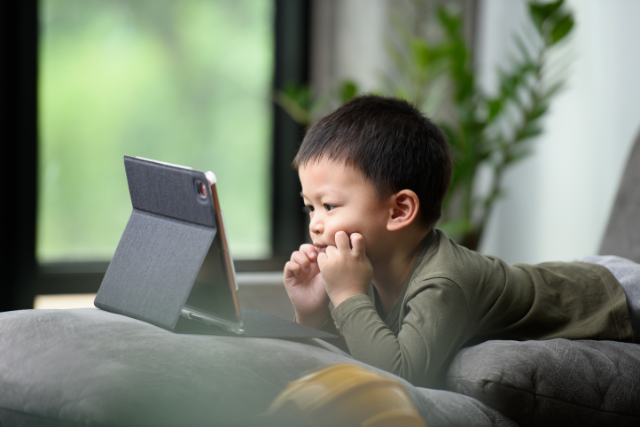
Controlling screen time, especially for children, is essential for promoting healthy development, preventing eye strain, and ensuring a balanced lifestyle. Here are some practical tips and strategies to help manage and control screen time effectively:
1. Set Clear and Consistent Limits
Establish specific screen time limits that align with your child’s age and needs. World Health Organisation (WHO) recommends no screen time for children 0-2 years old and up to 1 hour of screen time a day for children 2-4 years old. (Ref: https://www.who.int/news/item/24-04-2019-to-grow-up-healthy-children-need-to-sit-less-and-play-more).
- Create a Schedule: Set daily or weekly screen time schedules. Allocate specific times for homework, outdoor activities, and screen use.
- Consistency: Ensure that screen time rules are consistently applied across all devices and environments, including at home and in school.
2. Use Parental Control Tools
Leverage technology to help enforce screen time limits. Many devices and platforms offer built-in parental controls and monitoring tools.
- Device Settings: Use screen time management features on smartphones, tablets, and computers. For example, iOS and Android devices have options to set daily limits and downtime.
- Apps and Software: Consider using parental control apps like Google Family Link to monitor and manage screen time across multiple devices.
3. Encourage Alternative Activities
Promote activities that don’t involve screens to help children develop a balanced lifestyle.
- Physical Activity: Encourage sports, outdoor play, and physical exercises. These activities promote physical health and reduce the allure of screens.
- Hobbies and Interests: Foster interests in activities such as reading, drawing, playing musical instruments, or engaging in crafts. These can be excellent alternatives to screen time.
4. Model Good Behavior
Children often mimic the behavior of adults. Demonstrate healthy screen habits by managing your own screen time.
- Screen-Free Zones: Establish screen-free zones in your home, such as the dining room and bedrooms, to encourage face-to-face interactions and better sleep hygiene.
- Family Time: Schedule regular family activities that don’t involve screens, such as board games, hiking, or cooking together.
5. Educational Content and Purposeful Use
When screen time is permitted, ensure it is used for educational and meaningful purposes.
- Educational Apps and Programs: Select apps, games, and programs that are educational and promote learning.
- Purposeful Viewing: Encourage watching educational shows or documentaries instead of random browsing. Participate in co-viewing to discuss and engage with the content.
6. Set Tech-Free Times
Designate certain times of the day as tech-free to encourage breaks from screens.
- Meal Times: Make meal times a screen-free zone to encourage family conversations and mindful eating.
- Before Bed: Implement a no-screen policy at least one hour before bedtime to improve sleep quality.
7. Communicate and Explain
Have open discussions with your children about the importance of managing screen time and its effects on their health and well-being.
- Educational Discussions: Explain the reasons behind screen time limits, such as avoiding eye strain, improving sleep, and having time for other activities.
- Collaborative Rules: Involve children in setting screen time rules. When they understand the rationale and have a say in the rules, they are more likely to follow them.
8. Monitor and Adjust
Regularly monitor screen time and be flexible to adjust limits based on your child’s behavior and needs.
- Review Usage: Periodically review screen time reports and discuss any necessary adjustments with your child.
- Adjust Limits: Be willing to adjust limits during special occasions, school holidays, or when screen time is used for educational purposes.
Conclusion
Controlling screen time requires a balanced approach that combines setting clear limits, using technology to enforce rules, encouraging alternative activities, modeling good behavior, and maintaining open communication. By implementing these strategies, you can help your child develop healthy screen habits and ensure a well-rounded lifestyle.
Keeping Children Safe on TikTok: A Comprehensive Guide

As TikTok continues to gain popularity among younger audiences, ensuring the safety of children on the platform becomes increasingly crucial. TikTok offers a vibrant space for creativity and social interaction, but it also comes with potential risks such as exposure to inappropriate content, cyberbullying, and privacy concerns. Here are some essential strategies to help keep children safe on TikTok.
1. Understand TikTok’s Features and Settings
The first step in protecting children on TikTok is to become familiar with the app’s features and settings. TikTok provides various tools to help manage content and interactions:
- Privacy Settings: By default, accounts for users under 16 are set to private, meaning only approved followers can view their content. It’s essential to regularly check these settings to ensure they haven’t been altered.
- Restricted Mode: This feature helps filter out content that may not be suitable for all audiences. Parents should enable this setting to limit exposure to inappropriate videos.
- Family Pairing: TikTok’s Family Pairing feature allows parents to link their account with their child’s, giving them control over direct messages, screen time, and restricted mode settings.
2. Educate Children About Online Safety
Education is a powerful tool in safeguarding children. Parents and guardians should have open and honest conversations about the potential dangers of social media, including:
- Personal Information: Teach children not to share personal details such as their full name, address, phone number, or school.
- Stranger Danger: Emphasise the importance of not interacting with strangers or accepting friend requests from people they don’t know.
- Content Creation: Guide them on what is appropriate to share online, focusing on maintaining a positive digital footprint.
3. Monitor Activity
Regular monitoring of a child’s TikTok activity can help identify and mitigate risks early on. This doesn’t mean infringing on their privacy but rather ensuring they are navigating the platform safely. Parents can:
- Check Followed Accounts: Review who your child follows and who follows them to ensure they are engaging with appropriate and safe content.
- Watch Their Videos: Periodically watch the videos your child posts and likes to ensure they align with your safety guidelines.
- Discuss Trends and Challenges: Stay informed about the latest TikTok trends and challenges, as some may pose physical or emotional risks.
4. Use Built-In Reporting and Blocking Tools
TikTok has robust reporting and blocking tools to manage inappropriate content and interactions. Teach children how to use these tools effectively:
- Reporting: Show them how to report content that violates TikTok’s community guidelines, such as bullying, hate speech, or explicit material.
- Blocking: Encourage them to block users who make them feel uncomfortable or threatened.
5. Set Screen Time Limits
Excessive screen time can have negative impacts on children’s health and well-being. Use TikTok’s screen time management feature to set daily usage limits, ensuring that children spend a balanced amount of time offline and online.
6. Encourage Positive Online Behaviour
Promote positive and respectful behaviour online. Encourage children to be kind, avoid engaging in negative interactions, and think before they post or comment. Being a good digital citizen is key to a safer online environment.
7. Stay Updated with TikTok’s Policies
TikTok frequently updates its policies and safety features. Stay informed about these changes to ensure that you are utilizing the latest tools available to protect your child.
Conclusion
Keeping children safe on TikTok requires a proactive and informed approach. By understanding the platform’s features, educating children about online safety, monitoring their activity, and encouraging positive behaviour, parents and guardians can help create a safer TikTok experience. With the right precautions, children can enjoy the creative and social benefits of TikTok while minimising potential risks.
Check TikTok for more information on user safety: https://support.tiktok.com/en/safety-hc/account-and-user-safety/user-safety
Timely Careers (Return to work support for women)

Easy Cooking

A Teenager’s Guide to ADHD

Information Guide and workbook for teenagers living with ADHD from Healthy Partnership London and ADHD Foundation: https://www.adhdfoundation.org.uk/wp-content/uploads/2023/05/ADHD_TeenagerBooklet_London.pdf
Picky Eating

Mental Health Drawing
Financial Wellbeing (Gold membership only)

Sorry, but you do not have permission to view this content.