Homeschooling Advice

These are unprecedented times, and as a result many families are finding themselves in extremely challenging circumstances. One of the most obvious new trials is that the many thousands of families who do not home-school suddenly have children who are no longer able to attend school. When combined with many parents working from home in roles that previously required presence in the office, this naturally poses difficulties.

This article will seek to give parents advice regarding establishing new routines for their children. There are a number of official sources that you should also consult, and they will be listed at the bottom of this page. We would encourage you to prepare yourself as best you can.

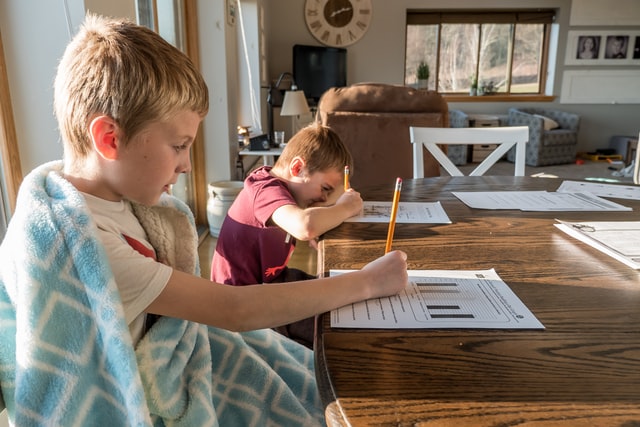
The first thing to remember is: You are not school. This is temporary. Do not put yourself under undue pressure to “meet” the educational standards of professional schools. It takes years to qualify as a teacher, and people are paid very well to determine the curriculum and how best to deliver that. No one is expecting parents to perform the same, particularly those who are also trying to juggle working from home with supporting your child’s or numerous children’s education. Remember that all children are experiencing this, and your child is not comparatively disadvantaged by default.

Nonetheless, there are some things that are important. If your child’s school is making use of online materials for teaching, make sure that they make good use of these. If they have a set work schedule, then parents should endeavour as best they can to follow this. It is important where possible for children to maintain a routine and link to their school during this time.

When seeking to establish a temporary “home school”, parents should involve children in the decision-making process. This is a confusing and difficult time for them, but allowing them to help decide how much studying, what form it will take and what they will be learning about can help keep them calm and engaged. Start by laying out the subjects that they will need to keep on top of. They should aim to be covering a number of topics generally, like math and English. Beyond this, you can be creative in what they learn about.

Remember that you can learn in all sorts of ways – not just worksheets. For example, here is a page from the American Chemistry Society all about how to teach chemistry via baking. Additionally, here is a page all about teaching basic maths with LEGO. The internet provides a wide range of useful resources that cover practically any subject your children can think of. Have them draw up a list of the things they would like to do or learn, and then sit down as a family and decide which may be possible and which you will do.

Children will naturally be less focussed and engaged than in school. Some of the learning from your own experience working from home can transfer – establish a routine. Make your children get up at a reasonable time, get dressed and have breakfast the same as you would if the were going to school. This will help them to take the new routine seriously. You don’t necessarily need to put them in uniforms, but it may be harder for them to concentrate in pyjamas. 

Having a distinct place to “work” is helpful for your concentration and helps to establish a distinction from home and school. Some families set up temporary “school” rooms, complete with decorations and even a “school charter”. This outlines commitments and aims of the “school” setting, and gives children a list of rules to focus on.   Although obviously this may not be possible in all houses and a work station at the kitchen table can work equally as well. Work with your child to make their “classroom”, ask them what they think makes a classroom special and provide as much as you can. Be creative and have fun. Most children have a schedule that they follow in school, so having a version of this can help them to adjust to the new way of learning.

Check up on them regularly. This is not only to ensure that they are still working, but to let them know that you care about how they are doing. If they seem to be struggling, talk to them about their issues. Remember that every child has different needs and learns at a different pace. In the same way that a teacher might have to spend more time with a particular student, do not be surprised if you have to work slightly more with one child. This is normal, not a reflection on you as a parent and makeshift educator!

Keep in mind that this is an opportunity to spend time with your children doing things you might otherwise not have been able to. Of course it is highly stressful and difficult for families, but it is important to take advantage of any positives you can. Learn together, talk about the information that you have gotten, go on long walks together and talk about the environment, the weather, the possibilities are endless and it will encourage your children to pursue any interests they have. 

Obviously parents who are working from home will need downtime where the children work independently (and it is worthwhile talking to them about this in an age-appropriate way). However, whenever you can Parenting NI suggests getting involved in the activities your children are taking part in. Crafting and artwork is a good way to encourage learning, and don’t hesitate to make your own painting or recycled object art. You may well find that it is more enjoyable than you think.

Finally, the most important advice we can give is for parents to not be too hard on themselves. Know your limits, and if your children spend a day watching TV or a few more hours than usual during the week looking at screens do not despair. While it is important to ensure that not every single day is spent this way, there is no benefit to a parent getting upset or frustrated and giving up. Remember tomorrow is always a new day…

You can get further information regarding governmental advice from:

The Education Authority: https://www.eani.org.uk/

Public Health Agency: https://www.publichealth.hscni.net/

The Department of Education: https://www.education-ni.gov.uk/

Blended Families

Parents who no longer live together – because of separation, divorce or bereavement – often face distinct challenges. One of these is attempting to re-partner. It is natural for parents who are no longer in a relationship with the father or mother of their child to seek new companionship. Around a third of all marriages in England and Wales are remarriages for at least one party1. Many of these will include children from either one or both partners, and these marriages will themselves often produce further children. This creates what has been called a “step” or “blended family”. The definition of these families in academic literature is:
“families in which at least one of the adults has a child or children from a previous relationship”2
It is difficult to determine exactly how many blended families exist in Northern Ireland. The statistics for remarriages are not collected in the way they are in England or Wales, and the growth of co-habiting families without formal marriage means that even if we did have a more accurate number it would not tell the whole picture. We know that in the UK, they represent between 11% and 15% of families with dependent children. Regardless of the exact number, it is reasonable to say that they are a significant proportion of families in Northern Ireland.
This article will seek to identify the key challenges faced by blended families, and give advice on how to address them.
Every blended family will face a unique challenge. Partially, this is because both families who are attempting to come together do so with different ideas, routines and backgrounds. The American Academy of Child and Adolescent Psychiatry noted that “the members may have no shared family histories or shared ways of doing things, and they may have very different belief systems which may include a different ethnic or educational background, or religion3”. As a parent, you should be aware of the differences between your family and the family you are attempting to blend with. These can be very stark – for example, views on the role of faith or responses to teenage risk-taking behaviours – or relatively minor, like expectations regarding chores or allowances. Keep in mind that your children will look to you for guidance and may resist that guidance from their step-parent.
Our advice in this situation is to attempt to prepare for these conflicts by talking to your partner, and if possible, your ex-partner. What you should seek to avoid is a feeling of unfairness which when added to the strain of adjusting to the new family dynamic can exacerbate conflict. This is particularly important if your family includes half-siblings.
Areas of difficulty often include:
Discipline: This has been identified as the number one issue faced in blended families4. Stepparents should resist the urge to “establish” themselves right away. Instead, work with your partner to set up a baseline of boundaries that cannot be ignored. Beyond this, have a staged approach and a plan. Agree with your partner who will handle discipline, and how it will be implemented. Introduce stepchild disciplining gradually and ensure that as parents you are as united with your partner as is possible. Talk to the children and let them know the rules and consequences in this new family set up and how discipline will be handled.
Stepsiblings/Halfsiblings: This is a highly complex area. For some children, they will have new siblings. These may vary greatly in age, gender and levels of contact. Nonetheless, it is a common concern among parents that they will fight or not get along. Children who acquire stepsiblings often feel jealous or left out5. Their place in the family may also have changed from being oldest or youngest, and they may no longer fit their own self-defined ‘role’. Parents should understand that unlike their relationship with their own new partner, their child did not choose to have new siblings. It is natural for them to take some time to get used to it, and they may never be as close to each other as you would like. Parents should instead ensure that their children understand the basic rules/boundaries. Beyond that, the most important thing a parent can do is spend time with your children and talk to them about how they feel. There is good reason to be hopeful as well. Some research has suggested that siblings who share only one parent are as close (and in some cases closer) than full siblings6. No matter how hurtful or difficult their initial reactions may be, understand that as a parent it is your role to help them adjust. Listen to their issues, and agree to reasonable action to address them. Be reasonable about language as well. Terms like step or half sibling may be a legal or biological term but may not be right in your home. Talk with your children and the children of your partner to determine what names best suit your family.
Roles: Beyond discipline, often stepparents will struggle with defining their own roles within the new family. If children already have an active mother and father figure in their life, a stepparent may have feelings of ambiguity in their role7. This can lead to dissatisfaction, difficulties in the inter-parental relationship and other negative outcomes. Unfortunately, there are no simple answers regarding the role of stepparents. In some families, stepparents will have very clear and defined roles, while in others they will be more flexible. Successful blended families are those that develop structures, roles, norms, and interaction styles that are appropriate for each individual family situation8.

In conclusion, Parents should try to be understanding with children who are struggling with adjusting to the new family reality they face. Additionally, it is important that they are not too hard on themselves. Experts suggest it can take between two and five years9 for a blended family to fully settle. Do not be too hard on yourself if progress is slow, or if you are struggling. The three key elements for parents to remember are:
Take your time. Don’t try to force a new dynamic.
Decide what your roles will be, and communicate this with your children.
Listen, and understand. Take your children’s concerns seriously and take steps to address them as best you can.
If you are struggling with blending a family, you can always seek support from Parenting NI or other similar organisations

Dealing with Loss

Dealing with Loss

Loss is an unfortunate part of life. Whether that loss be as a result of bereavement or changes in family relationships for some children, these will be particularly difficult events for children to deal with emotionally. Children will understand loss in different ways, depending on a number of factors. The most important of these is their age and stage of development.

For many children their first experience of loss occurs when a family member such as a parent, sibling or grandparent dies, or a pet has been lost or dies. This is followed by a period of grief. It is important to realise grief feels different to every child or young person and there is no right or wrong way to grieve.

The American Academy of Paediatrics1 breaks children’s understanding of death down into four main concepts:

  • Irreversibility (that death is permanent).
  • Finality (that everything the body does stops with a death).
  • Inevitability (that death is universal for all living things).
  • Causality (what causes death).

A child’s ability to understand and cope with each of these four concepts will help determine how they react overall to a death. It is therefore important for a parent supporting a child during a loss to understand generally how well they understand these concepts. A parent can help a child deal with death by explaining it in an age-appropriate manner. Speaking about death to a teenager is naturally very different than speaking about it with a toddler.

It is normal to want to shield your child from the harsh reality of a loss. It can be enormously challenging for an adult to speak about the loss of a loved one especially when they are grieving themselves. However, being too vague or making use of too many euphemisms can confuse a young child. A parent should try to be sympathetic, kind and emotionally supportive in their language and be alert to common physical signs of grief such as difficulty with sleep, changes in eating habits, inability to focus or uncontrollable crying. 

It is also important for a parent to be aware of how their child grieves. Everyone processes grief in their own way. Therefore, not every child will behave in the same way. Nonetheless, there are a few things that children will likely do if grieving2:

  • Babies and toddlers: looking for the person who has died, being irritable and crying more, being anxious and wanting more attention.
  • Young children: Many of the same behaviours as above, as well as dreams about the person who has died, regressing in developmental progress, fearfulness.
  • Older Primary-aged children: Many of the above behaviours as well as, blaming themselves, being easily distracted, feeling embarrassed or fearful, stomach or physical issues.
  • Early Post Primary children: Being particularly anxious about friends and family’s safety, trying to please adults more than normal, feeling very strong emotions, being very focussed on what has happened.
  • Teenagers: Being easily distracted, being generally unsettled and neglecting school or work, wanting to be alone or alternatively, being clingy, risk-taking behaviour to escape, pretending not to care or joking about the death.

So, how can parents help? The first thing is for younger children, try to continue normal routines as best as possible. While older children understand that a death temporarily upends life but  that it will return to normal, a younger child might be fearful that everything has changed forever. Secondly, allow them to feel their emotions. Do not tell them how they must feel, instead give them space to feel fear, anger or grief. Parents should step in if a child is at risk of self-harm or if they seem to be getting beyond control. Attempting to stop them from expressing their emotions can cause further issues. Talk honestly about the death using age-appropriate language and avoiding expressions such as “passed on” or “gone to sleep” as these can be confusing, especially to younger children, and while it can be difficult to use the words death or dead, children will understand the situation more clearly when we do. Letting your child’s school know the child has experienced a bereavement will enable them to empathise with the child and be alert to changes in their behaviour that may be linked to grief.

If a person or a pet is likely to pass away, but has not yet done so, it may be worth speaking honestly to the child in advance. Rather than hide your own emotions from them reassure them that it is okay for you to grieve as well. Explain that death is a tragic but natural part of life. For younger children, give examples like plants or wildlife.  

Never underestimate the import role a pet has played in a child’s life and allow the child time to grieve the loss rather than trying to replace the pet immediately. Some children will be quite accepting of the death while for others it can be a more difficult process.

Include children and young people in plans for the funeral. While they may not feel comfortable to attend, or you may feel they are too young to do so, they will cope better when they understand what is happening and they may want to contribute to the event in another way such as writing a poem, choosing a hymn, or drawing a picture.

A positive activity that can be done is to create a memory box. The NHS has a guide here to explain how to create one. Having a physical reminder of the lost loved one is a good way to deal with grief. Talk about the person or pet they have lost, share stories of special times and find ways to celebrate their life and the positive impact they have made on the family.

Children also experience the emotions and challenges of loss in other situations such as the death of a parent due to serious illness, incarceration, working away or parental separation. While not always possible it can be beneficial if both parents can talk to the child together so the child understands the changes and can be reassured that despite the changes, they are still a family. Where this is not possible parents should each talk to the child to reassure them that the situation is not the child’s fault and they are loved and important regardless of the changes in the family.

Parents should remember that they are not alone if they are struggling. It is important that you seek support yourself with grief if it is needed. This can be from loved ones, friends or if appropriate religious or spiritual leadership and also a GP may be able to refer  on to grief  counselling. If you or your child are struggling particularly hard with a loss, there are professional and charitable organisations who can provide support.

1- https://www.healthychildren.org/English/healthy-living/emotional-wellness/Building-Resilience/Pages/How-Children-Understand-Death-What-You-Should-Say.aspx

2- https://www.kidshealth.org.nz/bereavement-reactions-children-young-people-age-group

Parents Guide to Whatsapp

Whatsapp is a communication app that most parents will have some experience of already, which is useful for parents. Exploring the app together with your child to demonstrate how to use this app safely is the perfect way to show them you trust them with this method of digital communication. Agreeing on who your child can and cannot talk to via this app is a good first step. Emphasising that only sharing messages with friends and family who are already known to them will help keep your child safe. 

What is Whatsapp? 

Whatsapp is a popular instant messaging app used by adults and teens. It includes group messaging features and allows users to share images, videos & files between themselves. Whatsapp is available for download on all popular devices through the Apple app store or the Google Play store for free. 

How do I set up an account? 

Download the app from your preferred app store. Agree to the terms of service when prompted. Register your number as prompted by the directions on the app. Next, set up a profile with your name, you can add a profile photo at this step too. Now you’re ready to go!

What should parents look out for? 

Contacts

Whatsapp is notorious for strangers beginning conversations with people they do not know. This is often done for scamming purposes. Remind your child that individuals who contact them out of the blue are rarely doing so for innocent purposes. Let them know they can always tell you if this does happen to ask for advice on the situation. 

Blocking another user

If your child would like to block another user who they do not know or is bothering them they can take the following steps. 

  1. Open Whatsapp and proceed to the ‘More Options’ tab. 
  2. Tap ‘Settings’ and then go to the ‘Account’ tab. 
  3. Proceed to ‘Privacy’ 
  4. Tap the ‘Blocked contacts’ tab. You can then add the contact you want to block from Whatsapp. 
  5. You can also block a contact by opening a chat with the individual. Proceed to the ‘More options’ tab, select ‘More’ and then tap the ‘Block’ option. You can also choose the ‘Block & Report’ option if necessary. 

Reporting an account

It is useful to show your child how to report another user who has initiated a conversation with them that they do not know. These steps from the Whatsapp website below explain this process. Explaining to your child calmly that people they do not know may not have good intentions in befriending them via this digital medium will help them to understand why they should report such users. Make sure they are aware that they can always approach you about anything they see online and can always check in with you if they are unsure about anything. 

  1. Open the chat.
  2. Tap on the contact or group name to open their profile information.
  3. Scroll to the bottom and tap Report contact or Report group

File sharing

Whatsapp allows for the sharing of videos, images & files in conversations. This is a great feature as it allows you to share photos to add interest or explanation to your conversations, however it can be dangerous for young people as images and videos shared on this app cannot be removed once sent. It is worth having a conversation on the nature of privacy to underline how important it is for them to be responsible about what they share online with others.

Remind your child that anything that they send that is sexual in nature can be saved by the other person forever and can also be shared to others. The key to having such conversations with your teen is to avoid a ‘nagging’ tone and instead adopt an empathetic, questioning tone. Asking your teen questions on what they think about the subject in a non-judgemental manner will let you know where they stand on the subject, before you dispense advice. Remind them gently of the possible repercussions of such images being shared to someone other than who they originally trusted them with. Inform them that most people who are requesting such images generally do not have their best interests at heart and even the strongest of relationships can break down, which could lead to a betrayal of trust with their images used as a bargaining chip. Although this is a difficult conversation for parents to have with their teen, it is more important than ever as ‘sexting’ is a widespread practice among young people. There is some wonderful advice on this subject here if you would like to know more: https://www.netnanny.com/blog/how-to-talk-to-your-kids-about-sexting/

Group chats

Your child can be added to group chats with a variety of people, even people that are not their contacts. Some of the others in this group may be unknown to them and the groups can be harmful in nature. You can change the settings on their account to prevent this from happening. Proceed through the following steps to change this: ‘More Options > Settings > Privacy > Groups > Change to ‘My Contacts’. 

Location Sharing

WhatsApp shows other users your location which parents should turn off on your child’s account when they first set everything up. To do this, go to the Settings tab and then go to > Privacy within the app. 

Time on the app

Social media can become a time drain on your child. Many children don’t recognise the addictive nature of social media and can quickly become pressurised into being ‘always online’ in order to respond to messages instantaneously. If you are worried that they are spending too much time on the app, take some time to discuss the issue with your child in a calm, understanding manner. Whatsapp allows users to set their ‘active’ status, changing this removing ‘read’ time receipts on messages can stop your child from feeling under so much pressure constantly respond to incoming messages. To turn off read receipts 

Digital Etiquette 

Teaching your child good digital etiquette and emphasising the potential permanency of conversations online is important. 

  • Remind them that it is always good to discuss difficult or potentially volatile conversations in person, rather than online. 
  • Emphasise that respecting others’ privacy is as important online as it is in person. They should not share their friend’s secrets or share anything sent to them with others that would violate another’s privacy. Teaching your child the value of respecting others in the digital sphere is an important life skill for children to learn. 
  • Learning when is the right time to leave a conversation digitally is also a good skill to teach your child, as it is easy to type a message in the heat of the moment and then regret it! 

Do not be afraid to allow your child (once at an appropriate age) to explore social media. Our children are growing up to be extremely digitally savvy. They will naturally want to explore what is out there and connect with their friends on what is new and exciting. Digitally safe children are children who are not afraid to share their online experiences with their parents. Be open to learning about new technologies that they are interested in sharing with you, while consistently teaching your children to remain respectful of themselves and others online. 

Parents Guide to Facebook

Digital safety can be a difficult topic for parents who aren’t very technically savvy. There is a bewildering array of apps and social media sites available, all hugely popular with the teenage age group. Take a moment to read our Parents Guide to Facebook & learn all about the safety features available on this site to help keep your child safe online. 

What is Facebook

Facebook is a social media platform which allows for the sharing of images, text & videos. Users can add other people as ‘friends’ in an online network and share updates about themselves. Users can like, react or comment on statuses, images, videos, comments & much more on the platform. The social media platform also encompasses businesses, organisations & news outlets, making it a huge source of digital information sharing. The network allows individuals to create ‘Groups’ which are for people with mutual interests to connect and share information. Facebook has event planning & invite tools available for individuals and businesses to organise events with. There is a digital marketplace on Facebook, where individuals can sell goods & services in their local areas. People use the social platform to stay connected with friends virtually and update others on their lives, keep up to date with news and groups they are interested in & watch videos, play games & more. 

Facebook has a ‘messenger’ application which is connected on desktop or optionally downloadable in app form via phone. Messenger allows users to send real time, digital messages to each other, similar to texting. Users can send images, videos, gifs, files & create or join group chats of multiple people via messenger. 

How do I set up an account?

You can create an account through the Facebook homepage. Users are required to sign up with their full name & date of birth and confirm their account through an email address or a phone number. Facebook does not allow children below the age of 13 to sign up for an account.

What do I need to keep an eye on?

Minimum Age Range

Facebook does not allow children below the age of 13 to sign up for an account. Facebook requires users to enter their date of birth before signing up and bars users below this age from creating an account.

Account Privacy

  • You can set your child’s account to private so individuals can only see their profile when they have accepted their friend request. Go to your profile and in the top right corner of the screen click the small downward facing arrow. Click ‘Settings & Privacy’. 
  • Next to ‘Activity’ change the option saying ‘Who can see my future posts’ to ‘Friends’. Change the option next to ‘Who can send me friend requests’ to ‘Friends of Friends’ to minimise the likelihood of people unknown to your child trying to add them. 
  • Next to How people can find and contact you toggle beside Who can look you up from the email your provided and Who can look you up from the phone number you provider > Only Me
  • Go to the Profile section in the privacy settings section and change the following: Who can post on your profile > Friends, Who can see what others post on your profile > Friends, Allow others to share your post to their story > No, When you’re tagged in a post, who do you want to add to the audience of the post if they can’t already see it? > Friends
  • Enable Timeline review to allow your child to check what they are being tagged in before posts go public. You can do this by going to Timeline and tagging. Enable the section which says Review posts that you’re tagged in before the post appears on your timeline? & enable Review tags that people add to your posts before the tags appear on Facebook?

There are a host of other useful privacy settings which you can change to your satisfaction for your child. The above privacy settings are a useful, strong start to keep your child safe on this platform. 

Blocking an Account

You can block another user from following you, seeing your profile or any of your content by going on their profile and going to ‘Settings’ option on the top right of the screen. You can then select the ‘Blocking’ option. This will allow your child to remove anyone from their account with who they are having any negative interactions.

Reporting an Account

If your child is uncomfortable with the behaviour of another account, has seen something that has upset them, or noticed another user engaging in bullying behavior, they can report the account to Facebook, who will review that user’s social media use. You can also report spam, groups, ads with this tool. To do this, go on their profile and select the ‘…’ symbol to the right of the post that has concerned them. There will be an option to report the activity, post, group or individual available here. 

Location Sharing

It is possible for Instagrammers to share their location each time they post. Make sure your child is aware of the dangers of sharing their real-time location online, and encourage them to never tag any image or status they post with the location on it.

Facebook has a ‘Parents Portal’ with further information on how to chat to your child about digital safety, pointers on their privacy features and much more useful information. Find out more here

Facebook Etiquette for Children

Digitally safe children are children who are not afraid to share their online experiences with their parents. If you arn’t confident online, ask your kids to teach you how to use their favourite apps! Children who can speak to you about their social media use are more likely to come to you if there is a problem. Teens enjoy social media sites as they allow them to interact with their peer group and practice self expression, while staying in touch with friends. Age-appropriate social media use that is monitored safely by parents with security features enabled can be a positive way for your children to interact with the digital world, learn new skills & interact with their peer group. 

Some points to keep in mind:

● Remind them that it is always good to discuss difficult or potentially volatile conversations in person, rather than online.

● Emphasise that respecting others’ privacy is as important online as it is in person. They should not share their friend’s private information or share anything sent to them with others that would violate another’s privacy. Teaching your child the value of respecting others in the digital sphere is an important life skill for children to learn.

● Encourage them to be a positive influence on social media. Remind them that digital interactions which are hurtful or mean can be just as damaging as face-to-face insults.

● Learning when is the right time to leave a conversation digitally is also a good skill to teach your child, as it is easy to type a message in the heat of the moment and then regret it!

● It is worth discussing with your teen that sending inappropriate images on Facebook or Facebook messenger is never a good idea. Images can be saved by recipients in direct message conversations and could easily be shared outside of this private conversation. A conversation that underlines that anyone requesting such images does not have your teen’s best interest at heart is an essential conversation to have. 

● Encourage your young person to talk to you if they see something or read something that they are worried or scared about – open and honest communication is really important when keeping your child safe online

More information:

Parents Guide to TikTok

What is TikTok? 

TikTok is a short form video sharing app, which allows users to watch and share videos created other creators on the app. TikTok has exploded in popularity since 2019 and continues to grow, particularly among younger users who are drawn in through snappy editing tools, easy-to-add chart music features & a variety of dance and lip-syncing challenges encouraged by the app. 

How do I set up an account? 

Download the app from your preferred app store. Agree to the terms of service when prompted. Go to ‘Me’ on the home screen. You can register with a phone number or email and will be prompted to share your age – users under 18 need a parent or guardian to approve the use of the app before continuing. If your child is aged 13 – 15, their account will automatically be set up as private. You can add other users by searching for them via the search bar or by linking your contacts, which make following your friends on this app fairly simple.

What should parents look out for? 

Additional Security Features for Parents

Parents can use ‘Restricted Mode’ for added control over their child’s account or turn on ‘Family Safety Mode’ to pair with their child’s account for an added layer of security. You can enable Family Safety Mode by downloading the app & creating your own account, then access the ‘…’ option on your child’s user profile. Sync your account with their account through the QR code presented on the app. 

This includes a variety of new ‘Digital Wellbeing Measures’ which include:

  • Screen Time Management Limits
  • Direct Messages: Limit who can send messages to the connected account or turn off direct messaging completely.
  • Restricted Mode: Restrict the appearance of content that may not be appropriate for your child. 

These features are a great way for parents to help keep their child safe on this app. You can enable Digital Wellbeing Measures by going on to your child’s account and selecting the ‘…’ option in the top right of the screen. Select ‘Digital Wellbeing’ and enable any of the above measures for added safety. 

Contacts

You can make your child’s account private, which will limit the interactions they have with people they don’t know on this social media platform. To do so, go to the profile section and tap the ‘…’ option. Change this to ‘Private’. You could also change the settings on the section for comments, direct messages and ‘duets’ to ‘Friends’ only to further limit the potential of strangers using this platform to contact your children.

Blocking another user

If you or your child would like to block another user who they do not know, or is bothering them they can take the following steps. A blocked user will not be able to follow you. They also will not be able to view, like, or comment on your videos. 

To block another user: 

  1. Go to Profile tab of user you want to block 
  2. Tap Settings ‘…’ icon in the top right corner 
  3. Tap Block

Moderation and abuse reporting

It is important to talk openly with your child about their online activity, If your child has seen something which upsets them or they have found disturbing on this app, you and/or they can take the following steps to report it to TikTok for removal:

  1. Report a profile: Go to the profile of the account you want to report. Next, tap the ‘…’ option in the top right corner & then tap ‘Report’.
  2. Report a video: Open the video, Tap the Share icon (right arrow), then tap ‘Report’.
  3. Report a comment: Tap the comment you’d like to report, then tap ‘Report’.
  4. Report a message: Open the conversation, then tap the ‘…’ icon at the top right of the screen, then tap ‘Report’

Duets

The ‘Duet’ feature is increasingly  popular with teens on Tiktok. It allows two users to perform a virtual duet together, without being together in the same place. One user starts the duet by creating and posting a video. Their friend then taps the ‘…’ icon at the bottom right of the video and selects ‘start duet now!’ This opens a new video for the friend to duet alongside the original video

Digital Etiquette 

Teaching your child good digital etiquette and emphasising the potential permanency of conversations online is important. As a parent you can 

  • Remind your young person that it is always good to discuss difficult or potentially volatile conversations in person, rather than online. 
  • Emphasise that respecting others’ privacy is as important online as it is in person. They should not share their friend’s secrets or share anything sent to them with others that would violate another’s privacy. Teaching your child the value of respecting others in the digital sphere is an important life skill for children to learn. 
  • Learn when is the right time to leave a conversation digitally is also a good skill to teach your child, as it is easy to type a message in the heat of the moment and then regret it! 
  • Note that lot’s of children are enamoured with the idea of becoming ‘TikTok’ famous as the influence of social media stars grows in certain age groups. They can quickly become very caught up in ‘likes’ and online interaction. Remind them of the value of being themselves & fostering their current talents that exist outside the virtual sphere while keeping an eye on their screen time. 

Do not be afraid to allow your child (once at an appropriate age) to explore social media. Our children are growing up to be extremely digitally savvy. They will naturally want to explore what is out there and connect with their friends on what is new and exciting. Digitally safe children are children who are not afraid to share their online experiences with their parents. Try to be open to learning about new technologies that they are interested in sharing with you, while consistently teaching your children to remain respectful of themselves and others online. 

More information:

Parents Guide to Instagram

In our increasingly digital society, it can be difficult to navigate what apps & social networks are safe for your children to enjoy. Many parents find keeping up to date with the newest apps that appeal to kids confusing and are not sure how to keep their child safe while they use them. Take a moment to read our Digital Safety Guides & learn all about the safety features available on the most popular apps of the moment!

What is Instagram

Instagram is a photo-sharing app that has exploded in popularity in the last few years, becoming a worldwide sensation that is used by a wide variety of age groups. Instagram is particularly popular among Teens & Tweens as it has a number of features that allow them to express themselves online in entertaining ways. You can share time-limited videos, share private messages with individuals or in groups and share images. You can also like & comment on other individuals’ photos or videos. Instagram allows you to follow your favourite celebrities & directly interact with their lives via liking and commenting on their posts. It offers real-time video and photo sharing options on ‘Instagram Stories’ with a variety of fun filters, stickers & music options that can be added before posting. 

How do I set up an account? 

You first have to download the app via the iOS store for apple phones or the google play store for android. You will need an email to register, then create a username and password & upload your profile photo. 

What do I need to keep an eye on? 

Minimum Age Range

The minimum age range for Instagram is 13 years old. Instagram requires users to enter their date of birth before signing up and bars users below this age from creating an account. 

Account Privacy

You can set your child’s account to private so they have to approve anyone who would like to follow them before they can see any of their images. With this feature, they can also remove any of their followers at any time. This can stop strangers from seeing anything on their account. On your profile page, tap the top right symbol depicting three horizontal lines. On the bottom of your screen, you will now see a gear symbol that says ‘Settings’. Tap this and then tap the ‘Privacy’ option with a lock symbol to the left of it. You can now select the ‘Private account’ option by tapping the toggle bar. 

Blocking an account

You can block another user from following you, seeing your profile or any of your content by going on their profile and tapping the ‘…’ option on the top right of the screen. You can then select the ‘Block’ option. This will allow your child to remove anyone from their account with who they are having any negative interactions.  

Reporting an Account

If your child is uncomfortable with the behaviour of another account, has seen something that has upset them, or noticed another user engaging in bullying behavior, they can report the account to Instagram, who will review that user’s social media use. To do this, go on their profile and select the ‘…’ symbol on the top right of the screen. You will then be able to select the ‘Report’ option. 

Turn on Filters 

You can turn on the ‘Hide Offensive Comments’ option which automatically filters inappropriate or harmful language on the app. Go to the Settings bar & tap ‘Privacy’ then tap ‘Comments’ and toggle on the ‘Hide Offensive comments’ option. You can also toggle on the ‘Manual Filter’ which allows your child to type in words or phrases they would prefer not to see on the app. 

Time on the app

Instagram allows users to track how much time they are spending on the app, which can be useful for parents to discourage unhealthy or obsessive device usage. To check this, proceed to your profile and then to your ‘Settings’ bar. Tap ‘Your Activity’ and you will be able to see the average amount of time spent on the app that week. You can also take the opportunity to set up a ‘Daily Reminder’ here which will send a notification once your child has reached the allotted time allowed on the app each day, which can help remind your child to disengage occasionally. You can also mute notifications in the ‘Your Activity’ section, which can stop the constant notifications which can often tempt your child to pick up their phone again and again as the day goes on. Social media can be addictive for children and teens, so try and emphasise the transitory nature of online interaction. It can be useful to talk to your child about the importance and satisfaction of face-to-face communication and remind them that relationships outside of the digital sphere are what are most important. 

Location Sharing

It is possible for Instagrammers to share their location each time they post an image. Make sure your child is aware of the dangers of sharing their real-time location online, and encourage them to never tag an image they post with the location on it.

Instagram Etiquette for Parents

Teaching your child good digital etiquette and emphasising the potential permanency of conversations online is important. Digitally safe children are children who are not afraid to share their online experiences with their parents. Talking to your children about how to use social media tools safely in an open and honest way is the key to maintaining an open line of communication on this subject. If you are inquisitive about their social media use in a positive way, they are more likely to open up to you if they are experiencing any issues. Social media can be a great way to stay in touch with friends and a form of self-expression for children and allow them to interact positively with other members of their peer group. When age-appropriate & managed correctly by parents with security features enabled, social media apps can be a positive experience for your children. 

Some points to keep in mind: 

  • Remind them that it is always good to discuss difficult or potentially volatile conversations in person, rather than online. 
  • Emphasise that respecting others’ privacy is as important online as it is in person. They should not share their friend’s secrets or share anything sent to them with others that would violate another’s privacy. Teaching your child the value of respecting others in the digital sphere is an important life skill for children to learn. 
  • Encourage them to be a positive influence on social media. Remind them that digital interactions which are hurtful or mean can be just as damaging as face-to-face insults.
  • Learning when is the right time to leave a conversation digitally is also a good skill to teach your child, as it is easy to type a message in the heat of the moment and then regret it! 
  • It is worth discussing with your teen that sending inappropriate images on Instagram is never a good idea. Images can be saved by recipients in direct message conversations and could easily be shared outside of this private conversation. A conversation with your child that underlines that anyone requesting such images does not have your teen’s best interest at heart is an essential conversation to have with your teenager.

More information:

Parents Guide to Snapchat

Children are increasingly digitally agile and this can pose difficulties for parents who are not as technically literate as their kids! Keeping on top of the latest trends in social media is a great tool in your kit to keep your children safe and online and make sure they are using apps that are suitable for their age group. Talking to your children about how to use social media tools safely in an open and honest way is the key to maintaining an open line of communication on this subject. If you are inquisitive about their social media use in a positive way, they are more likely to open up to you if they are experiencing any issues. 

What is Snapchat?

An app beloved of Teens and Tweens, in particular, Snapchat has a variety of features that make it irresistible to teenagers & it is currently one of the most popular apps in the world! The app allows for instant photo sharing between friends. Sent images disappear after a pre-chosen time period when sent which is a particular draw for this app. This feature allows users to send photos to others that won’t stick around forever, allowing for a more spontaneous exchange than other popular chat apps such as Facebook Messenger or Whatsapp. Snapchat has numerous fun filters that superimpose a variety of cute additions to your image before you send it. These include rainbows, crowns, cat ears, glasses, and much more! There are games which you can play with your friends and the ‘Discover’ feature allows you to catch up on the latest news and follow your favourite celebrities day-to-day lives in real-time. The filters feature is one of the main reasons behind the popularity of this app in the teenage age group. Snapchat has a ‘Story’ feature that allows you to add a 24-hour long image or string of images that all of your friends can view at any time, without actively beginning a conversation with you. Many people use the ‘Story’ feature to show off what they have been doing during the day – whether this is attending a cool party, playing with their pet at home, or heading to the park. 

How do I set up an account? 

You first have to download the app via the iOS store for apple phones or the google play store for android. You will need an email to register, then create a password. Your phone will be linked up to the app via your phone number and this will be verified to check you aren’t a bot!

What do I need to keep an eye on? 

Minimum Age Range

The minimum age range for Snapchat is 13 years old. Snapchat requires users to enter their date of birth before signing up and bars users below this age from creating an account. 

Settings 

You can change your privacy settings in the app by logging on and clicking the emoji in the top left corner of the screen, then selecting the gear image on the top right corner of the screen. Scroll down the settings options to the ‘Who Can…’ options. Next to the ‘Contact Me’ section change ‘Everyone’ to ‘My Friends’. Next to the ‘View My Story’ section change the default option to ‘Friends Only’ This ensures that only your child’s personal contacts are able to send images and messages. Snapchat requires you to scan a code in person, have a number saved in your mobile, or directly type in a username to ‘add’ someone as a friend and begin contacting them, which makes it more difficult for your children to be contacted by strangers on this app. 

Snapmaps

Snapmaps is a feature on Snapchat that is most likely to cause concern for parents. This feature allows the app to track where your account is and will show an emoji version of the account on a realtime map. Your child’s contacts will be able to pull up the map by swiping downwards on their screen while the app is open and track where they are and when they were last ‘seen’ by the app. You can combat this by returning to Settings and next to the ‘See My Location’ tab, change the option to ‘Ghost Mode’. This will stop location sharing on this app. 

*show an image of snapmaps*

Saved Snaps

Although Snapchat has an automatic disappearing feature on images sent between users, images can be screenshotted before they are removed from the app so caution should be advised on what is sent. 

Time on the app

Social media by nature can be addictive and can then become a huge drain on your child’s time and attention. Emphasise the importance of face to face communication and the satisfaction that social relationships outside of the digital sphere hold to your child. If your child seems over-reliant on this form of communication, take time to discuss their worries and deal with the situation in a calm, caring manner. 

Snapchat Etiquette for Parents

Teaching your child good digital etiquette and emphasising the potential permanency of conversations online is important. 

  • Remind them that it is always good to discuss difficult or potentially volatile conversations in person, rather than online. 
  • Emphasise that respecting others’ privacy is as important online as it is in person. They should not share their friend’s secrets or share anything sent to them with others that would violate another’s privacy. Teaching your child the value of respecting others in the digital sphere is an important life skill for children to learn. 
  • Learning when is the right time to leave a conversation digitally is also a good skill to teach your child, as it is easy to type a message in the heat of the moment and then regret it! 
  • It is worth discussing with your teen that sending inappropriate images on Snapchat is never a good idea. Images can be saved all too easily in this app. A conversation with your child that underlines that anyone requesting such images does not have your teen’s best interest at heart is an essential conversation to have with your teenager. 

Do not be afraid to allow your child (once at an appropriate age) to explore social media. Our children are growing up to be extremely digitally savvy. They will naturally want to explore what is out there and connect with their friends on what is new and exciting. Digitally safe children are children who are not afraid to share their online experiences with their parents. Be open to learning about new technologies that they are interested in sharing with you, while consistently teaching your children to remain respectful of themselves and others online. 

More information: 

Video Games and Children

Introduction

Video Games have been a feature of the entertainment landscape since the 1970’s. They have been popular, particularly with children, as a form of relaxation and engagement. They have filtered into the public conscience and lovable figures such as Mario and Sonic the Hedgehog have become cultural touchstones from Belfast to Tokyo.

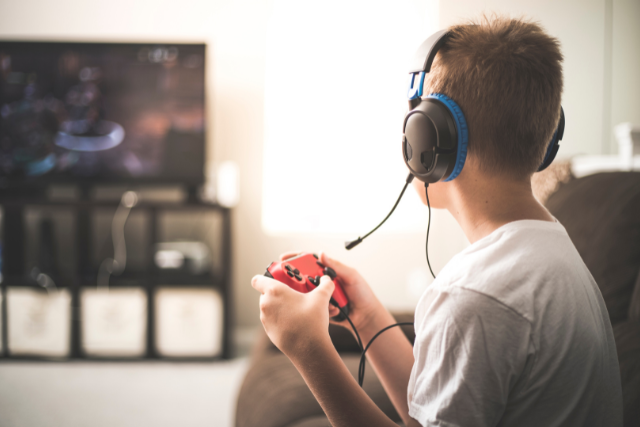
However, as technology has developed, so too has the impact and influence of video games. Just like books, films and television, video games can and do address and explore a wide range of issues and situations. While few parents see much to worry about when their children race about in Forza, there is rightly more concern when their children are doing battle in Call of Duty or Battlefront. After all, these games talk about (and in some cases, require the player to experience) deeply concerning events such as theft, terrorism and murder. Additionally, there are new and emergent problems such as simulated and real gambling and online gaming with strangers.

Parents often ask us “Do I need to stop my child from playing video games?” or “Are video games bad for children?”. The truth is, there has been a wide range of academic study since the first major concern regarding video game content in the 1990’s led by US Senators Joe Liberman and Herb Kohl. Concerns led to the foundation of ratings agencies like the Pan European Game Information board (PEGI) in the EU, or the ERSB in the US. However, as technology and media moves at breakneck speed parents are often left behind in terms of advice or guidance. 

This puts parents in the unenviable and difficult situation of deciding between protecting their children from potentially harmful content, or restricting or inhibiting their child’s social life and socialisation.

The Facts – Violence

Put simply, there is no absolute consensus regarding the impact of video games on the development and health of children. The American Academy of Child & Adolescent Psychiatry suggests that:

“Studies of children exposed to violent media have shown that they may become numb to violence, imitate the violence, and show more aggressive behavior. Younger children and those with emotional, behavioral or learning problems may be more influenced by violent images.”1

On the other hand, many researchers have disputed the idea that violent imagery in video games has a causal link to violent behaviour in children. Instead, some have suggested that the link between violent content and aggressive behaviour is reliant upon the child’s disposition. Writing for Psychology Today2, author and clinical psychologist Eileen Kennedy-Moore noted:

“People with a personality constellation of being 1) easily upset (high neuroticism), 2) showing little concern for other people’s feelings (low agreeableness), and 3) having a tendency to break rules or act without thinking (low conscientiousness) are particularly susceptible to the negative effects of violent videogames”

Additionally, a 20173 study in the Netherlands found that:

“Exposure to ‘violent’ video games at age 9 was not predictive of aggression or reduced prosocial behaviors one year later. Overall gaming, likewise, was unrelated to most mental health issues including attention problems or reduced social functioning, or total mental health difficulties”

Realistically, Parents who are not gamers themselves have little chance of knowing whether games their children ask for are age appropriate from the titles alone. With names that only make sense in context, such as “Elder Scrolls V: Skyrim” or “Mario & Rabbids: Kingdom Battle”, it is unreasonable to expect parents to know off-hand if the content contained in these titles would be suitable for a 7, 10 or 15 year old child. Additionally, given the unique profile of every child it is even more difficult to decide. Just as with films, what one 12 year old might find exciting or funny, may drive another to anxiety. Truthfully, with regards to violent content only the parent themselves knows their child well enough to make a choice.

Other Issues – Spending

While the majority of concern regarding video games relates to violent imagery, as games have matured the problems that they present have developed as well. Recently, there has been a great deal of concern regarding the use of real money in video games to simulate gambling. The most recent example of this was exhibited in “Star Wars Battlefront II”, while Star Wars has a PEGI rating of 16, the use of Star Wars characters makes it popular and much desired by very young children. While the content of the game is fairly tame (mild fantasy violence), worries have been raised regarding “lootboxes” in game. 

The concept of “lootboxes”, or extra paid content in games is a difficult subject for parents to understand, even when they have some experience of video games themselves. Lootboxes are a form of “Downloadable Content”, or “DLC”. DLC can take the form of major changes or additions to games, or minor cosmetic upgrades, and is released separately from the core game. It must be paid for separately, and is designed to prolong the life cycle of the game.

The issue with DLC like lootboxes is the manner in which it simulates gambling, in particular slot machines. A player pays real-money for a lootbox (in the case of children, this is typically parents money) and receives a number of randomised items. The issue is that the item which the player wishes to get – a character or weapon, for example – is not guaranteed to be in the box. An example is shown below:

The problems with this system can be seen for adults, but the effect of promoting such pseudo-gambling behaviour to children is potentially dangerous. The addition of popular children’s characters such as Luke Skywalker or Yoda to the mix only increases the issue. The game’s publisher, Electronic Arts has vigorously denied that these mechanics are gambling, stating:

“Creating a fair and fun game experience is of critical importance to EA. The crate mechanics of Star Wars Battlefront 2 are not gambling”4

However, this has been contested by a number of jurisdictions. In Belgium, The Netherlands and the US State of Hawaii, formal investigations have opened into whether these mechanics are gambling.

Regardless of the exact legal nature of specific mechanics, the simple existence of the potential to spend vast sums of money (Star Wars Battlefront II, for example, could potential cost a whopping £1,6005 to unlock every aspect of the game) is deeply worrying for parents. Whereas in the 80’s and 90’s, a child might at worst ask for a £60 or £70 game, today’s children potentially could end up spending much larger sums. This concern is particularly acute for children or young people who have their own money (such as teenagers).

Other Issues – Strangers

Much like the internet at large, video games which are played online offer a number of exciting opportunities. Children could benefit from playing with friends, especially when they are far away geographically. Team-building and co-working can help to foster good behaviours and strategies in children. A report by RMIT University in Australia found that children who played online games every day score 15 points above the average in maths and 17 points above the average in science6

Nonetheless, there is danger of so-called “grooming” by adults of children playing online games. This process operates similar to groom on social media platforms. Children are connected to strangers and adults online via video games, and this allows a potential for abuse. In January 2017, Adam Isaac was convicted of a range of criminal activities involving children he met through popular online game “Minecraft”.

The Good News

Despite the concerns regarding video games, it is important for parents to recognise that there are distinct and unique benefits for children of playing video games. These are especially pronounced in games that have an educational aspect to them. Research professor Peter Gray Ph.D wrote that7:

“Repeated experiments have shown that playing fast-paced action video games can quite markedly increase players’ scores on tests of visuospatial ability, including tests that are used as components of standard IQ tests. Other studies suggest that, depending on the type of game, video games can also increase scores on measures of working memory (the ability to hold several items of information in mind at once), critical thinking, and problem solving. In addition, there is growing evidence that kids who previously showed little interest in reading and writing are now acquiring advanced literacy skills through the text-based communication in on-line video games.”

The American Psychological Association published an extensive report in 20138 which identified a litany of potential benefits for children associated with the playing of video games. Video games were linked to improvements in spatial navigation, reasoning, memory and perception in children.

Additionally, video games can help children socially, as up to 70%9 of gamers play with friends in the same room and this co-play activity helps to improve prosocial activities that help with social development. In an increasingly isolated and anti-social environment that children operate in, video gaming often provides an outlet for social play. 

Help is at Hand

RATINGS

Thankfully, parents are not alone in this. In addition to voluntary services (such as the Parenting NI helpline), video games in Europe are rated by PEGI. This rating, which must be listed on the box of a game, or on the store page if the game is listed online, gives an idea of what sort of content is included. The criteria are listed below:

PEGI 3: The content of games given this rating is considered suitable for all age groups. Some violence in a comical context (typically Bugs Bunny or Tom & Jerry cartoon-like forms of violence) is acceptable. The child should not be able to associate the character on the screen with real life characters, they should be totally fantasy. The game should not contain any sounds or pictures that are likely to scare or frighten young children. No bad language should be heard. 

PEGI 7: Any game that would normally be rated at 3 but contains some possibly frightening scenes or sounds may be considered suitable in this category. 

PEGI 12: Videogames that show violence of a slightly more graphic nature towards fantasy character and/or non graphic violence towards human-looking characters or recognisable animals, as well as videogames that show nudity of a slightly more graphic nature would fall in this age category. Any bad language in this category must be mild and fall short of sexual expletives. 

PEGI 16: This rating is applied once the depiction of violence (or sexual activity) reaches a stage that looks the same as would be expected in real life. More extreme bad language, the concept of the use of tobacco and drugs and the depiction of criminal activities can be content of games that are rated 16. 

PEGI 18: The adult classification is applied when the level of violence reaches a stage where it becomes a depiction of gross violence and/or includes elements of specific types of violence. Gross violence is the most difficult to define since it can be very subjective in many cases, but in general terms it can be classed as the depictions of violence that would make the viewer feel a sense of revulsion. 

PEGI also lists a number of reasons for their rating, including drug use, discrimination or violence. Parents are highly encouraged to read and understand the ratings of the games their children are playing. It is also important to realise that PEGI is a legal mechanism, backed up by the government. This means that retailers must make every attempt to prevent children under the suggested age from buying the games – however, it is not illegal for children to play a game they are underage for. 

PARENTAL SETTINGS

In addition to regulation and ratings, many game companies and publishers have installed parental settings and controls built into games consoles or games themselves. This allows a parent to control what is or is not allowed for children. The best example recently is the parental control on the Nintendo Switch. The Switch has a sophisticated array of controls, including:

  • Control of total play times;
  • Deciding which games are allowed, and which are blocked entirely;
  • Which online features are allowed.

This can all be controlled via an app installed on a parents tablet or phone. While Nintendo has been particularly proactive in this regard, most games consoles have at least some level of parental controls.

However, these features are almost never on by default. As such, it is essential that parents seek advice and familiarise themselves with parental controls before giving the console to the child.

TALK

As with almost every parenting issue, the single most effective tool to combat the negatives of video games is good parent to child communication. Particularly with older children, it is important that parents take the time to talk about the games their children are playing. A parent may not be interested in a level or a race, but talking to a child about games and your concerns regarding them is the best way to ensure that children understand the risks and consequences of their activity.

It is important that your child feels that they can come to you if something happens that worries or frightens them. They are less likely to do so if they think that you will not “get it”. By chatting about what they are doing before something happens a parent can build their child’s resilience and ensure that they talk to you when things go wrong.

Conclusions

In conclusion, there is no settled opinion regarding the risks versus benefits of children playing games. There are certainly issues, relating to the appropriateness of content for children, potential spending of money and online activity. However, there are equal and opposite suggestions that playing of video games can be highly beneficial for children.

Like many parenting problems, there is no simple one-size fits all solution to video games. The best and only manner in which parents can take a level of control is by taking a proactive interest in the games that their children play. While the world of video games can be particularly opaque and difficult for parents to access, particularly if they are not tech-savvy themselves, taking a level of interest is the best way to protect children.

1: AACAP (2015) “Video Games and Children: Playing with Violence” LINK

2: Psychology Today (2015) “The Truth About Violent Video Games and Kids, Part 1” LINK

3: Journal of Youth and Adolescence (2017), Lobel et. Al. “Video Gaming and Children’s Psychosocial Wellbeing: A Longitudinal Study”

4: PC Gamer (2017) “Electronic Arts says loot boxes aren’t gambling” LINK

5: Metro (2017) “Star Wars: Battlefront II costs £1,600 to unlock everything” LINK

6: International Journal of Communication (2016) Posso, A. “Internet Usage and Educational Outcomes Among 15 – Year – Old Australian Students”

7: Psychology Today (2012) “The Many Benefits, for Kids, of Playing Video Games” LINK

8: American Psychological Association (2013) “The Benefits of Playing Video Games” LINK

9:Pew Research Center (2008) Lenhart, A. Et al. “Teens, Video Games and Civics” LINK

Resilient Teens

All children are capable of extraordinary things. The potential for happiness and greatness lies in all of them and will mean different things to different children. We cannot change that they will face challenges along the way but what we can do is give them the skills to try to navigate their way through them.


Nurture Resilience

Children will have different levels
of resilience and different ways of
responding to and recovering from
stressful times. They will also have
different ways of showing when the
demands that are being put upon
them outweigh their capacity to
cope. They might become emotional,
withdrawn, defiant, angry or
resentful and even the most resilient
of children have days where it all
gets too much, but low resilience
will likely drive certain patterns of
behaviour more often. The great
news is that resilience is something
that can be nurtured in all children.

Problem Solve

Encourage children to persevere
through things they are finding
difficult. Only then can they form
habits that will help them handle
future adversity. For example,
when something goes wrong with a
friendship or an issue with schoolwork
ask them how they think they could
improve the situation instead of
jumping in with the solution.

Home Environment

The single most important factor
to develop resilience in children is
at least one stable and nurturing
relationship with a supportive parent,
caregiver, or any other adult. These
relationships build key capacities
such as the ability to plan, monitor,
and regulate behaviour. Such
capacity enables children to respond
adaptively to adversity and thrive.

Emotions

Helping children manage their
emotions is important for the development
of children’s self-regulation skills,
resilience, sense of self, and in nurturing their
mental health and wellbeing. Parents have an
important role to play in supporting
children to manage their emotions.
One of the most important things you
can do to help children understand
emotions are to talk about them.

Resilient Parent

Be a role model. Children are very
good at copying what they see in
their parents behaviour. Act with
compassion, kindness, thoughtfulness,
and gentleness, children will be more
likely to follow the example.

This website uses cookies to enhance your browsing experience and ensure the site functions properly. By continuing to use this site, you acknowledge and accept our use of cookies.

Accept All Accept Required Only